
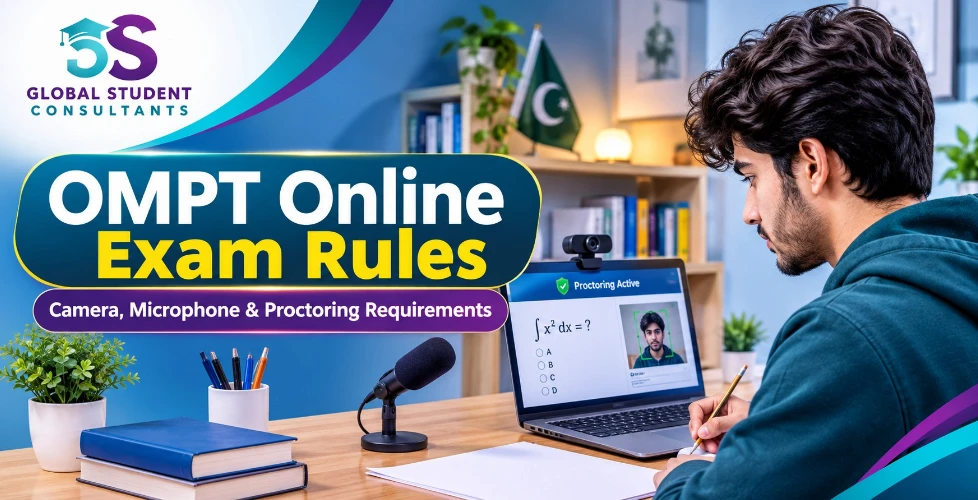
Sitting the OMPT from your own desk is certainly convenient, but it comes with a strict set of supervision rules. A ProctorU invigilator watches you through your webcam, listens through your microphone and follows your screen for the whole session, so one small mistake can cost you an attempt. Any breach can be passed to the OMPT Examination Board, and since every attempt is paid for individually, an error on the day costs both money and time.
If you are aiming for a Lithuanian university, knowing how the remote OMPT works is a real part of your admission planning. Everything from how your room is set up to how your ID is checked and how stable your connection is can influence the outcome.
In this guide, GS Consultant walks through the main exam policies: camera placement, audio requirements, allowed stationery, computer specifications, room checks and what to do when something goes wrong technically. We also explain the ProctorU Exam Rule Check page, so nothing surprises you on exam day.
Anyone considering the OMPT test for Lithuania admission should read these points carefully before booking an attempt.
Pro tip #1: Run the ProctorU Test-It-Out equipment check well ahead of your slot, and try your microphone and speakers at least a day earlier. Plug your laptop into its charger and leave it connected until the exam is over.
Quick answer: You take the OMPT at home on your own computer while ProctorU supervises via webcam, microphone and screen sharing. Have a government-issued photo ID, a private room, a steady internet connection (mobile hotspots are not accepted), three A4 sheets, three pencils and an eraser. Personal calculators, breaks and speaking aloud are all banned, and a violation can void your attempt.
What Is the OMPT and Why Is It Proctored Remotely?
The Online Mathematics Proficiency Test (OMPT) is a computer-based exam that universities use to gauge an applicant’s maths ability. Candidates sit it from home on their own device while a trained invigilator observes through ProctorU. Here are the headline facts:
| Detail | What to know | Why it matters | Your move |
|---|---|---|---|
| Versions | 7 (OMPT-A to OMPT-G) | Each version has its own calculator type | Confirm your version on the dashboard |
| Duration | 120–180 minutes | No breaks are allowed in this time | Prepare for a long, uninterrupted sitting |
| Booking notice | At least 72 hours | Late bookings are not accepted | Reserve your slot early |
| Login time | 15 minutes before | Check-in takes time before the paper starts | Be ready and logged in early |
Some Lithuanian universities with OMPT test requirements, Vilnius Gediminas Technical University among them, may ask for an OMPT score as part of admission. That said, the test is not mandatory everywhere, and each institution sets its own rules. Always confirm the official requirement for your chosen programme before you pay for an attempt.
Since there is no physical exam hall, remote proctoring is what keeps the process fair. ProctorU confirms who you are, watches you on camera, tracks activity on your screen and records anything that looks like a rule break.
OMPT Remote Exam Rules in One Table
Here is a quick overview of the OMPT test rules that apply before you book your slot.
| Category | You need | You must avoid | Do beforehand |
|---|---|---|---|
| ID and room | Government photo ID in Latin script; a quiet, private, closed and bright room | Anyone else entering; any unapproved material | Place your ID within reach and tidy the room |
| Equipment | Desktop or laptop with a working camera, mic and speakers; steady internet | Mobile hotspots; headphones or earbuds; second screens | Complete the official equipment test |
| Materials | Three A4 sheets, three pencils, one eraser, plus the built-in OMPT calculator | Own calculators, pens, notes, extra study aids | Gather only the permitted stationery |
| Behaviour | Fullscreen mode; face, hands, paper and mouse in view; phone behind you, out of reach | Breaks (toilet included), switching apps, copying, talking | Visit the bathroom before you log in |
Webcam Setup for the OMPT
Your camera has to show the invigilator exactly what you are doing. They should be able to see your face, your hands, your mouse and the paper you work on. Place your laptop or external camera so that all of this stays in frame from start to finish, and arrange the room as the supervision instructions describe.
- Pick a room that no one else will walk into
- Angle the camera to capture your face and hands
- Keep your scrap paper in view
- Make sure the room entrance is visible behind where you sit
- Cover glass doors, see-through windows and glass walls
- Take out spare chairs and any unapproved items
- Leave the desk empty apart from the approved exam items
- Remove non-religious headwear if the proctor asks
Because your webcam feed and screen are recorded, do not nudge the camera or step out of the required frame during the test.
Microphone and Speaker Rules
Both a microphone and speakers are mandatory, and both must stay switched on and working through the entire session. At check-in the ProctorU invigilator speaks to you and uses chat, confirms your identity, walks you through the process and gives instructions before the paper begins.
When the test itself starts, you have to stay quiet. You may not speak out loud, read questions aloud or talk to anybody. Remember the following:
- Check your microphone before the day
- Confirm the speakers give clear sound
- Keep both turned on throughout
- Do not wear headphones or earbuds
- Take off watches and similar restricted items
- Use the approved chat window when you need the proctor
The proctor can clear up questions about procedure, but cannot explain a maths problem or help you solve it.
Computer and Internet Specifications
You will need a suitable desktop or laptop with a functioning webcam, mic and speakers that also meets ProctorU’s technical requirements. Before exam day, work through this list:
- Verify your operating system meets the listed specifications
- Test the camera and audio hardware
- Install the exam browser or software you are asked for
- Turn off auto-sleep and screensavers
- Shut down extra apps and background programs
- Unplug any additional monitors
- Keep the computer plugged into power
- Finish the official equipment check
A fast, steady connection matters just as much, because drops during the test cause trouble. Wi-Fi is not recommended, though it can be used if it is dependable, whereas mobile hotspots are not allowed at all.
Your desk should be a hard, flat surface with room for the permitted stationery. Keep your ID close at hand, and have a mirror or phone ready in case the opening room inspection calls for a reflective surface. Also remember your OMPT login details so you can get in without delay.
How ProctorU Monitors Your OMPT Session
Verification begins before any maths questions appear. Sign in to your exam account about 15 minutes ahead of your appointment.
- Sign in to OMPTOpen your profile, head to the Test info & access area and choose “Go to ProctorU” to begin check-in.
- Verify who you areYou may be asked to photograph your face and your ID. Just follow the prompts.
- Meet your proctorA remote invigilator contacts you by voice and chat, checks your identity and explains the rules of the session.
- Show your surroundingsThey may ask you to display your room, desk and permitted items, so your workspace must already comply.
- Go through the rulesThe proctor makes sure you understand camera placement, audio equipment, allowed resources and conduct.
- Begin the examOnce the checks finish, you can open the maths paper.
Check-in typically takes 5–10 minutes, and that time does not count against your exam duration. Note that ProctorU monitors integrity, not the correctness of your answers. Any suspected breach can be logged and sent to the OMPT Examination Board.
Reading the ProctorU Exam Rule Check Page
Prior to starting, you will land on an Exam Rule Check page listing key instructions. Getting familiar with each section now will make check-in smoother.
Conduct and rules
- Stay in your seat the whole time
- Remain inside the camera frame
- No speaking during the test
- Sit the exam in a private room
Permitted resources
- The calculator built into the platform
- Three blank A4 sheets
- Three pencils and one eraser
Breaks and special arrangements
Normal breaks are not permitted, so go to the bathroom before logging in and keep water in a clear bottle. Candidates with approved accommodations should follow what the exam authority has confirmed, and the proctor may check these arrangements before the test starts.
You also need to close any unneeded browser tabs. Changing applications, copying text or images, and exiting fullscreen are all banned, as are personal calculators, unapproved notes and extra study material.
The Guardian browser and your privacy
At check-in you might be asked to install the Guardian browser, which allows ProctorU to see your screen and the applications running on your computer. During setup, the proctor may request permission to view your screen or briefly take over your mouse and keyboard to fix a technical issue. Once the exam begins, the invigilator can keep watching but cannot control your input devices, and a chat window lists the permissions the proctor currently holds. Monitoring may combine:
- Live observation by a remote invigilator
- Automated tools that flag unusual behaviour
- Follow-up review by additional staff
- Audio and video recordings kept for integrity checks
OMPT says it stores full session logs, and both OMPT and ProctorU state that they comply with the EU General Data Protection Regulation (GDPR). ProctorU also says it cannot reach personal files on your computer without your knowledge. Still, the exact period for which recordings are retained was not clearly stated in the material we reviewed, so contact OMPT directly if you want certainty.
Pro tip #2: Set up your exam space the day before. Test the camera angle, microphone, speakers and connection, and place your stationery and ID where they will sit on the day. Any technical fault can then be solved before the real appointment.
Calculator and Stationery Policy
An on-screen calculator is built into the OMPT platform. Bringing your own, whether handheld or electronic, is not allowed, and the type you get depends on which exam version you sit.
| OMPT version | Calculator provided | Own calculator | Where to confirm |
|---|---|---|---|
| OMPT-A, B, C and F | Basic calculator | Not permitted | Exam dashboard |
| OMPT-D and G | Scientific calculator | Not permitted | Exam dashboard |
| OMPT-E | Statistics calculator | Not permitted | Exam dashboard |
| Every version | Platform calculator only | Not permitted | Full instructions on your dashboard |
You may only use three A4 sheets, three pencils and one eraser; pens are not accepted. Other limits include:
- No personal calculators
- No eating during the exam
- Drinks only in clear bottles
- No headphones or watches
- Phone kept behind you, in view and out of reach, unless briefly needed for an approved setup step
Having these items ready before check-in saves you from avoidable hold-ups.
What If Your Internet Drops Mid-Exam?
A sudden loss of connection can disrupt a remote exam, which is why a reliable line matters so much. Should it happen, use the official reconnection route:
- Go to the OMPT exam overview pageThis is where the reconnection option lives.
- Look for “Reconnect with ProctorU”Choose it whenever you lose contact with your proctor.
- If you were logged outClose the exam tab and sign in to your OMPT account again.
- Return to the exam pageThen pick the reconnection option.
Never disconnect on purpose, because deliberate interruptions are prohibited and may count as violations. If a technical fault occurs, follow the platform’s guidance and speak to the supervisor when you can.
Admission Support From GS Consultant
GS Consultant supports Pakistani students who want to study in Lithuania from Pakistan and need help with admission steps and study-abroad applications. If you cannot tell whether your Lithuanian university requires an OMPT score, our team can go through the programme requirements and application process with you. Our help includes:
- OMPT guidance. Clear explanations of exam requirements and registration.
- Admission assistance. A look at the entry criteria for your chosen programme.
- Application support. Help preparing and organising your academic documents.
- Study abroad counselling. A step-by-step picture of applying to Lithuanian universities.
Requirements differ between institutions, and admission outcomes and exam results are decided by the universities and exam bodies themselves. No consultancy can promise an offer or a particular score.
OMPT Violations and Possible Penalties
Every attempt is subject to integrity monitoring, so following the instructions is essential. You must finish the test on your own with no outside help. The following are prohibited:
- Talking to anyone while the exam runs
- Getting assistance with maths questions
- Using a personal calculator or other banned resource
- Leaving the room without permission
- Deliberately breaking the ProctorU connection
- Opening other programs or browser tabs
- Trying to tamper with exam results
- Setting up several accounts to gain extra attempts
After the test, invigilators write up reports on suspected violations, and the OMPT Examination Board may study them together with the video and audio recordings. Depending on how serious the breach is, the penalty could be cancellation of your result or a ban from OMPT exams for up to a year.
You will be told of the decision in writing. The attempt in question is ruled invalid, and the university you are applying to may also be notified. For that reason, obey every instruction from the first verification step to the final logout.
OMPT Readiness Checklist
Good preparation helps you sidestep technical faults and needless interruptions.
Computer and connection
- Confirm your computer is compatible
- Test camera, mic and speakers
- Run the ProctorU Test-It-Out check
- Secure a stable internet line
- Switch off sleep mode and screensavers
- Close extra apps and tabs
- Unplug second monitors
- Keep the laptop on its charger
Exam room
- Choose a quiet, private spot
- Make sure the lighting is good
- Place the webcam correctly
- Keep the door visible behind you
- Cover glass doors and windows
- Clear away unapproved items
- Stop others from coming in
Allowed materials
- Have your government photo ID ready
- Set out three A4 sheets
- Keep three pencils and one eraser
- Put personal calculators away
- Fill a clear bottle with water
- Position your phone as required after the setup check
Appointment prep
- Re-check your exam schedule
- Confirm your OMPT login details
- Read the latest instructions
- Join the platform 15 minutes early
What to Do Once You Finish
Handing in your answers is not the end of the session. You still need to follow the closing routine. First press Submit on the Test Overview page, then let your supervisor know you are done so they can take you through the remaining steps.
- Submit your finished examUse the Submit button on the Test Overview page.
- Tell the ProctorU supervisorLet them know you have finished.
- Wipe all notesErase everything from your scrap paper.
- Tear the used paperDo this as directed by the proctor.
- Let the proctor see each final stepStay on camera until they are satisfied.
- Sign out and close the browserOnly when you are told to.
If you skip the paper disposal procedure, your appointment could be marked invalid. Stay connected until the supervisor confirms the closing process is complete.
Booking and Scheduling Your OMPT
Before buying an attempt, check that your chosen university and programme truly ask for the OMPT. Each attempt is bought separately, and how many you may take can depend on the university’s policy. Under the official OMPT process page, you need to book your slot at least 72 hours before the exam. Registration has five main stages:
- Check university requirementsLook at the official admission page to see if an OMPT score is compulsory.
- Open an OMPT accountSign up on the official exam platform with the details requested.
- Buy your attemptSelect the right exam version and pay.
- Book the examChoose an available date and time, at least 72 hours in advance.
- Take the examLog in on time, pass ProctorU verification and sit the maths test.
After you meet the exam requirements, you receive a digital certificate of completion. Policies vary across Lithuanian institutions and programmes, so read the admission requirements in Lithuania before paying for an attempt. Some universities use other admission routes, which means an OMPT score may not be needed for every applicant.
Pro tip #3: Before paying for any attempt, get the university’s OMPT requirement confirmed in writing or on its official admission page. That way you will not buy an attempt you never needed.
Frequent Mistakes That Put Your Attempt at Risk
Many violations come from small details candidates overlook. Using a pen instead of a pencil, keeping a phone within reach or opening a personal calculator can each break the rules. Other slip-ups include:
- Leaving spare browser tabs open
- Using a second computer screen
- Talking out loud during the test
- Walking out of the room for an unapproved break
- Letting the webcam drift out of position
- Using banned electronic devices
- Ignoring the supervisor’s instructions
- Forgetting to erase and destroy your notes
- Cutting the connection to the proctoring system on purpose
The safest mindset is to treat the remote exam as if you were in a real exam hall: keep your desk clean, use only approved items and follow instructions from start to finish.
Frequently Asked Questions About the OMPT Remote Exam
1. Is the OMPT supervised online?
Yes. ProctorU supervises the exam remotely. An invigilator confirms your identity, watches your webcam and follows your screen, and audio and video recordings can later be reviewed for possible violations.
2. May I use my own calculator in the OMPT?
No. Personal calculators are banned. You must rely on the calculator built into the OMPT platform, and the type you get depends on your exam version.
3. Can I take a toilet break during the exam?
No. Breaks of any kind, toilet visits included, are not allowed. Take care of personal needs before you log in.
4. Is a mobile hotspot acceptable?
No. The stated requirements do not allow mobile hotspots. Set up a stable connection before your appointment. Wi-Fi is discouraged, so a reliable wired connection is the better choice when you have one.
5. Which IDs are accepted, and what if my internet cuts out?
You need a government-issued photo ID written in the Latin alphabet, such as a passport, national identity card, residence permit or driving licence. If your connection drops, open the OMPT exam overview page and click “Reconnect with ProctorU”. If you were signed out, close the exam tab, log in again and follow the reconnection steps.
Final Thoughts: Be Ready for Exam Day
The OMPT lets you complete your maths assessment from home, but only if you follow the rules closely.
That is how you avoid interruptions and potential violations. Ahead of your slot, arrange a private room, test your webcam and microphone, gather the permitted stationery and check your internet. Running the ProctorU equipment check early can prevent many technical headaches.
For Pakistani students who plan to study in Lithuania, the OMPT can be a significant step in the admission process, yet whether you need it depends on your university and programme. Read the official admission criteria and confirm the requirement before buying an attempt. If you would like support, talk to professional study abroad consultants for Lithuania at GS Consultant.
Important: Exam rules, university requirements and booking procedures can change. Always confirm the latest details on the official OMPT website and with your chosen university.